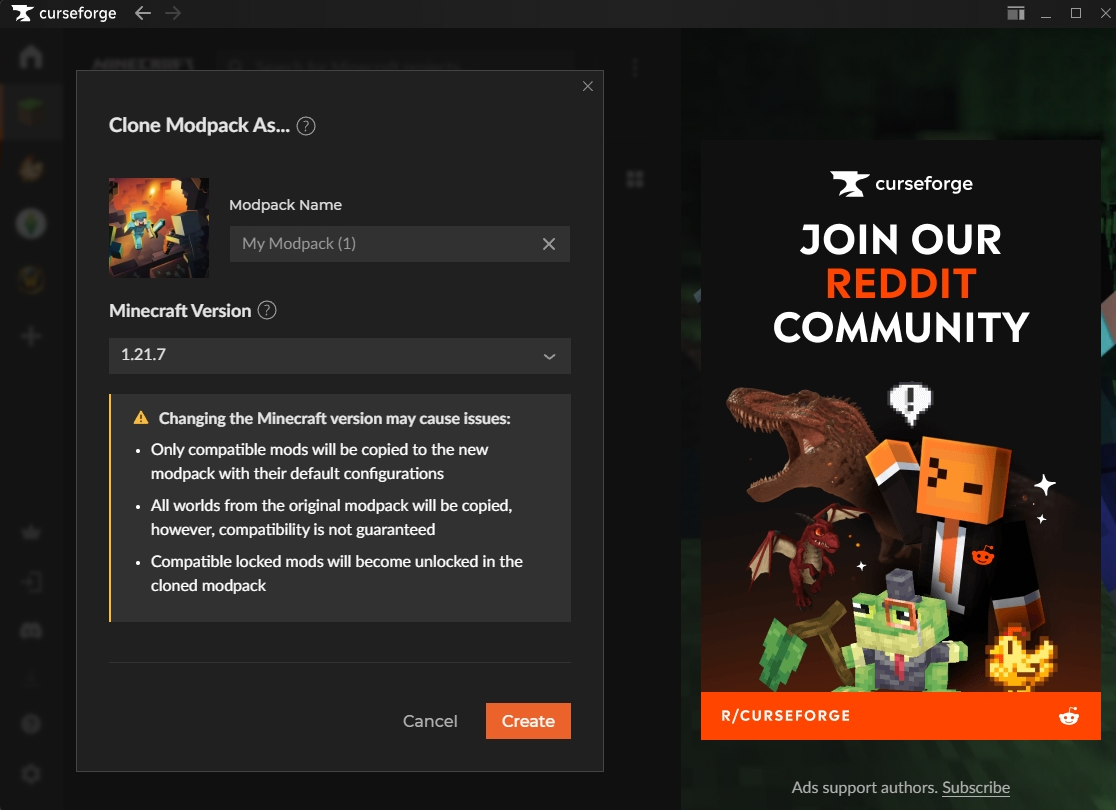
Cloning a modpack creates a copy of an existing modpack, including its mods and content. Similar to the old Duplicate feature, cloning lets you create a copy with the added ability to change the Minecraft version for the new modpack.
If you choose a different Minecraft version than the original modpack, the following will apply:
- Only compatible mods will be copied to the new modpack with their default configurations
- All worlds from the original modpack will be copied, however, compatibility is not guaranteed
- Compatible locked mods will become unlocked in the cloned modpack
Note: We can’t guarantee that a duplicated modpack will work correctly after changing the Minecraft version, and we’re unable to provide support if issues occur as a result of that change.
To clone your modpack follow these steps:
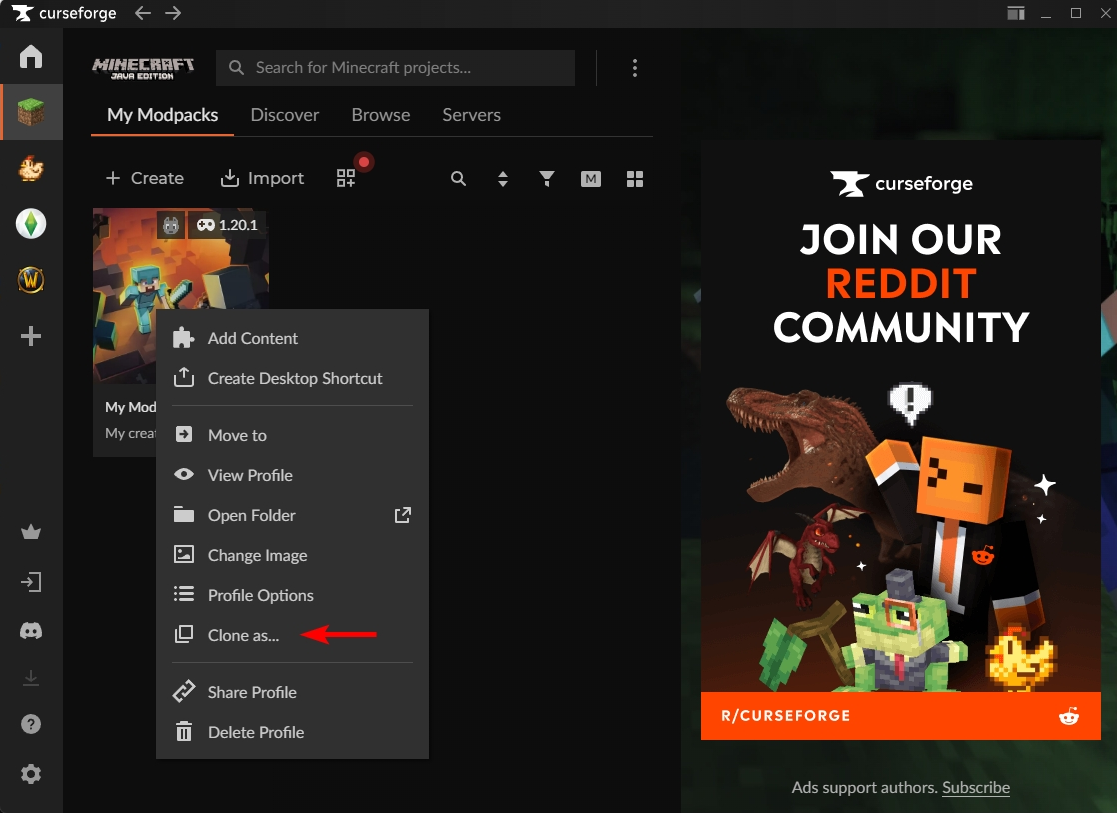
- Right click the modpack and click 'Clone as...':
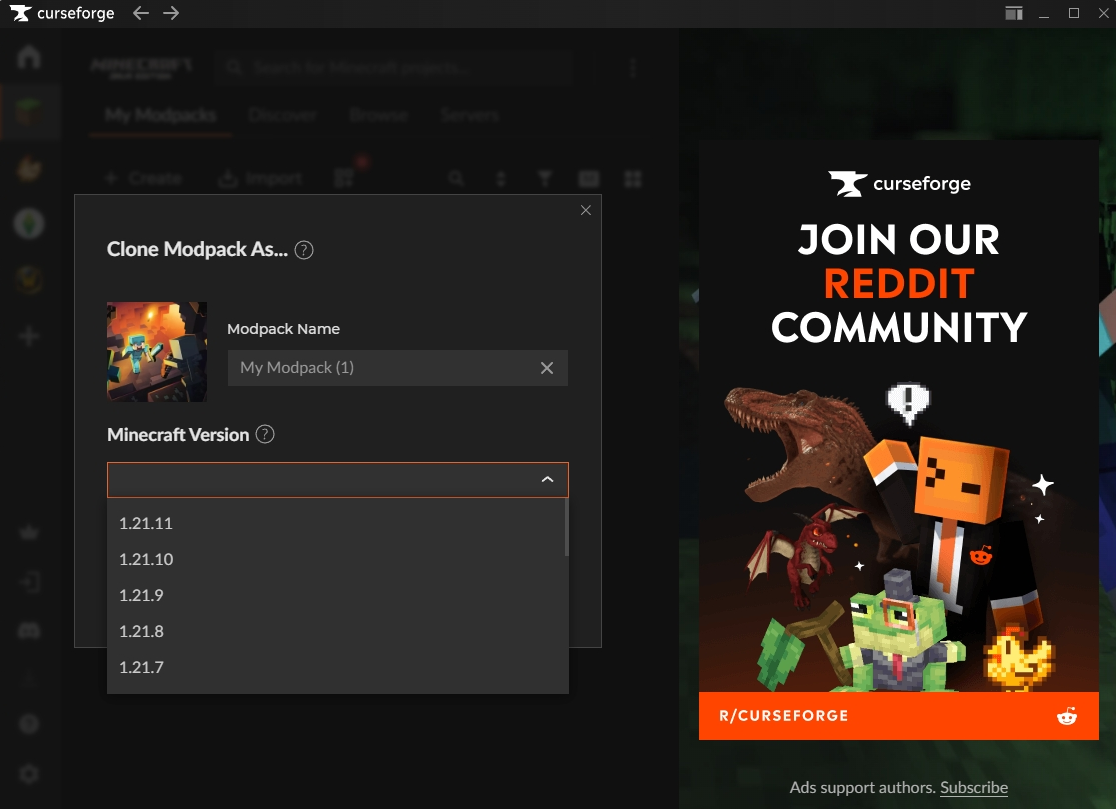
- Select the Minecraft version (or keep it as it is):
- Click on 'Create'