
How to Edit and Create Biomes
Where are the Assets?
World generation assets are kept in the HytaleGenerator directory within the assets.
Server/HytaleGenerator/..
Specifics:
../WorldStructure
Generator files that define which biomes spawn together.
../Biomes
Biome assets, with content configurations.
../Density
Density assets that can be referenced by other generation assets.
../Assignments
Prop assets that can be referenced by Biome assets.
How to Visit Worlds
The generation assets define a set of generators but on their own you cannot visit these. Currently you require a "world Instance config" to be setup with a generator that will allow you to visit your work.
Server/Instances/..
Instances are separate worlds that players can join using the /instances command. Each instance has an Instance.bson configuration asset that specifies which generator to use, among other worldly settings.
{  "WorldGen": {    "Type": "HytaleGenerator",    "WorldStructure": "Basic",    "playerSpawn" : {      "X" : 123,      "Y" : 480,      "Z" : 10000,      "Pitch" : 0,
      "Yaw" : 0,
      "Roll" : 0
    }
  } }
You can create your own world Instance that points to a custom World Structure asset for testing your work. You can do this by duplicating the basic Instance config and changing the WorldStructure key to the name of your asset.
How to Edit Biomes
We currently use the Hytale Node Editor when editing world generation assets. This can be accessed while in-game from the Content Creation menu when pressing Tab.
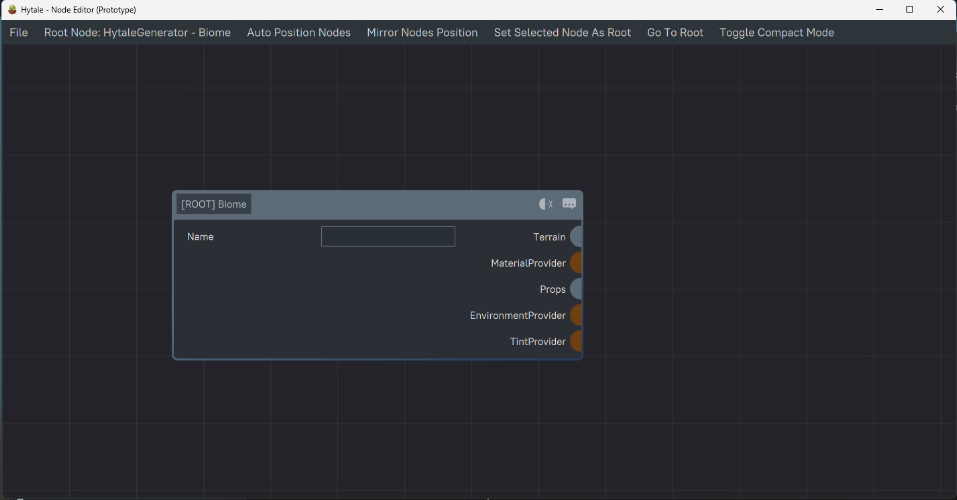
Once you have the Hytale Node Editor open, through the file menu you can open Biomes by navigating to the Biomes directory.
Server/HytaleGenerator/Biomes/Basic.json
You must have an Asset Pack with a Biome.
Biome Asset Structure
Every Biome has a root Biome node, this node splits into 5 structures. This is covered briefly but more information on each field can be found on the World Generation Concepts page.
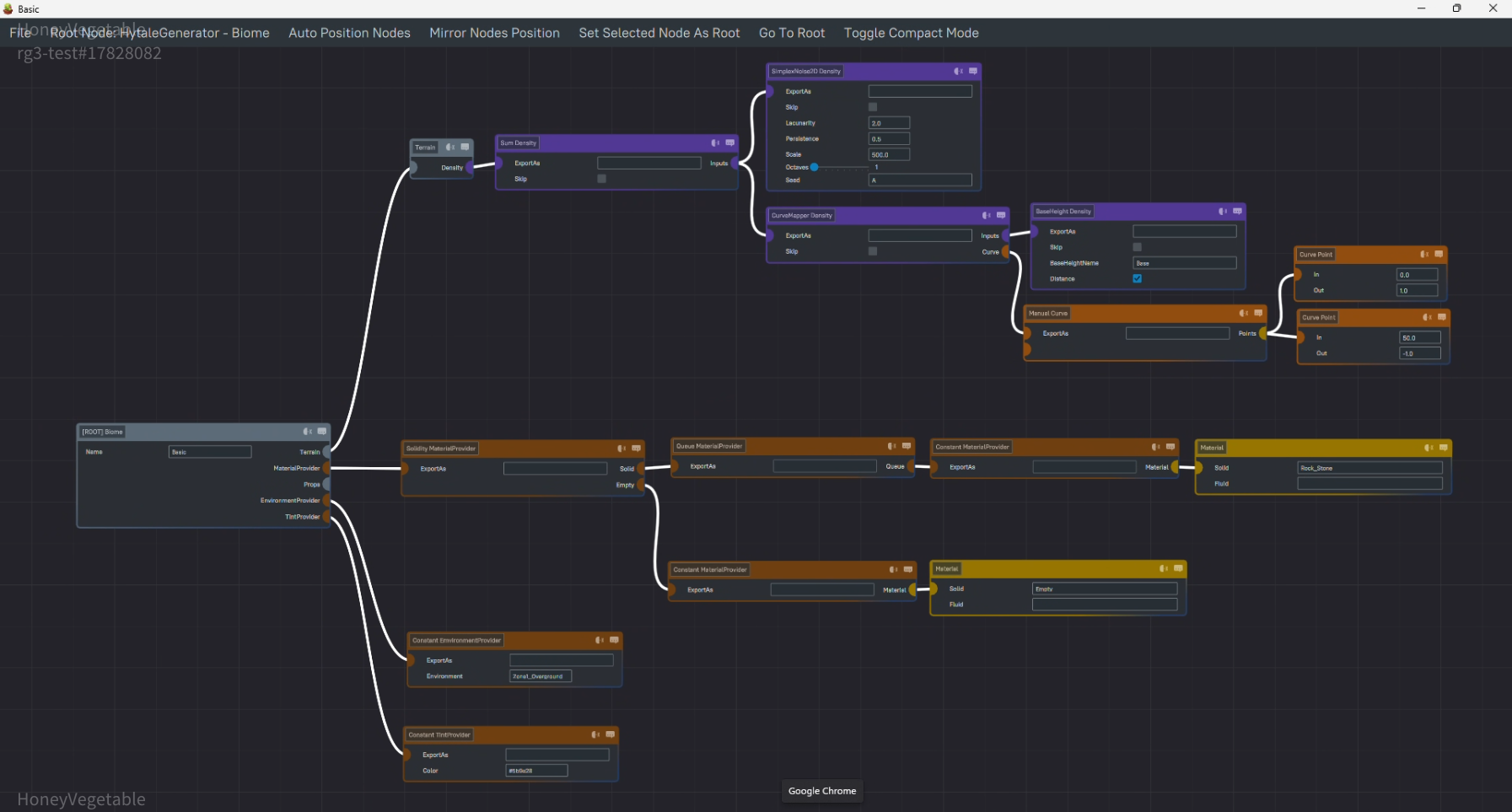
Each biome is for the most part self contained, meaning it has control over what appears with the biome. The only exception to this are Base Heights.
Terrain
Mathematical function nodes that calculate the physical shape of the Biome's terrain.
Material Provider
Logical nodes that determine what materials make up a Biome's terrain.
Props
Object function nodes that add objects such as prefabs to the terrain.
Configure content positioned locally in your world such as trees, POIs, grass, and so on. These nodes allow you to configure where the content is placed and what it places.
Environment Provider
Logical nodes that determine the environment asset at a given coordinate within the biome. This asset determines things like weather, NPC spawns, and sounds.
Tint Provider
Logical function nodes that determine a color code that can be used by certain material types. Typically this will be grasses and soils.
How to Preview Your Work
Once you are in an Instance world with the Hytale Generator active you will only be able to see your work by generating new chunks. There are a few ways to do this.
The viewport command selects an area around the Player that will live reload as you make changes to the generator.
/viewport --radius 5 You can also create a new world to show your changes.
/instances spawn <instance> The last option is to simply fly south, new chunks will generate with the changes made.