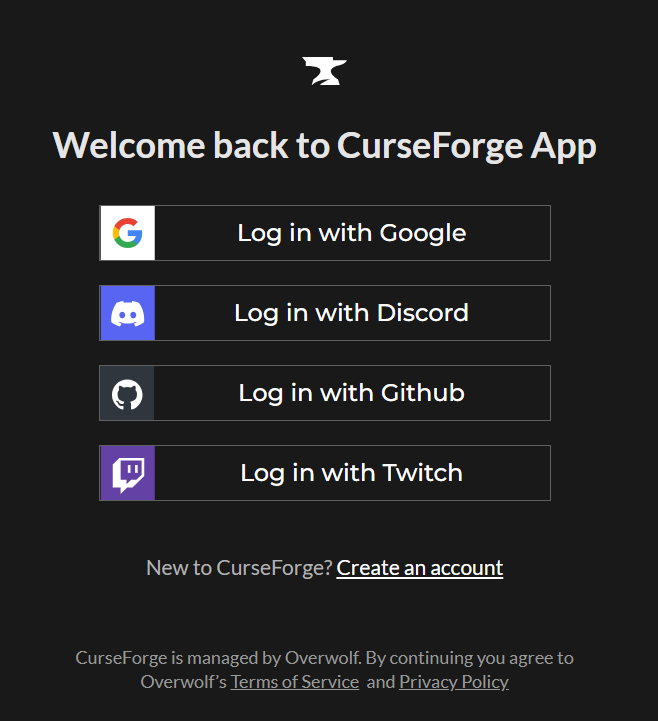
CurseForge does not use a traditional email and password login system. Instead, all accounts are authenticated through a third-party Single Sign-On (SSO) provider (such as Google, Discord, GitHub or Twitch). This means your login credentials are managed entirely by your SSO provider not by CurseForge directly.
Take me to...
- How CurseForge Login Works
- My SSO Account Was Compromised: What Does This Mean for CurseForge?
- I'm Not Sure Which SSO Is Connected to My Account
- How to Add an SSO Login Option to Your CurseForge Account
How CurseForge Login Works
Because CurseForge relies on SSO, there is no separate CurseForge password to update or reset. When you log in, you are authenticating through your chosen SSO provider, and CurseForge simply recognizes the connection.
This means:
- You cannot change your CurseForge login password from within CurseForge- there isn't one.
- Any security changes (such as updating your password or enabling two-factor authentication) must be made on your SSO provider's account page.
The current SSO options are: Google, Discord, GitHub or Twitch.
My SSO Account Was Compromised: What Does This Mean for CurseForge?
Since CurseForge doesn't have its own password, securing your account works differently than on most websites.
Because your CurseForge account is tied directly to your SSO provider, anyone with access to that SSO account will also be able to access your CurseForge account, including your mod uploads, author profile and account settings.
We recommend addressing this on your SSO provider's side first (updating your password, reviewing active sessions, enabling 2FA, etc.), since that resolves the root cause. However, if you're not able to fully secure that account, or you'd simply rather not use it for CurseForge going forward, you have two options:
- Connect a different SSO provider using a different email address- Link a new SSO account (Google, Discord, GitHub or Twitch) that uses an email address separate from the compromised one. Once connected, that provider becomes a login option for your existing CurseForge account.
- Create a new CurseForge account- If you'd prefer a clean break from the compromised account entirely, you can set up a new CurseForge account tied to a different SSO provider and email address.
Additionally, please make sure that you have enabled two-factor authentication (2FA) if you haven't already. This is strongly recommended.
If you need help with either option, or aren't sure which SSO provider is currently linked to your account, contact our support team with your CurseForge username & proof of ownership of the CurseForge account and we can assist.
I'm Not Sure Which SSO Is Connected to My Account
If you're unsure which SSO provider is linked to your CurseForge account, our support team can look this up for you.
Please contact support and include your CurseForge username in your message. We'll let you know which SSO provider is connected so you can take the appropriate steps to secure it.
How to Add an SSO Login Option to Your CurseForge Account
CurseForge determines which SSO providers you can use to log in based on your CurseForge account email address. As long as the email on your CurseForge account matches the email used on your SSO provider's account, you'll automatically be able to use that SSO to log in- no additional setup required.
Example: If you want to log in to CurseForge using Discord SSO, the email address on your Discord account must match the email address on your CurseForge account. Once they match, Discord can be used as a login option.
This applies to any supported SSO provider. Simply make sure the emails align and the login option will be available to you.
If your emails don't match, you have two options:
- Contact our support team to request a CurseForge account email change, then verify the new email matches your desired SSO provider. In your ticket please provide:
- Your CurseForge username
- Current email connected to your account
- New email address you would like to use for your account
- A screenshot of you logged in to account settings / authors dashboard
- Update the email on your SSO provider's account to match your CurseForge email.