You can now download and play PUBG UGC Alpha maps created by other players and even enter them into the PUBG: BATTLEGROUNDS UGC Contest on CurseForge!
Please note that in order to create custom rooms/matches you must have BATTLEGROUNDS Plus.
Note: PUBG UGC Alpha maps are not supported in the CurseForge app. Maps can only be downloaded manually.
To install and play PUBG UGC Maps, follow the next steps:
- Download a map from https://www.curseforge.com/pubg-battlegrounds
- Place the downloaded file inside C:\Users\[your user]\AppData\Local\TslGame\Saved\UGC\
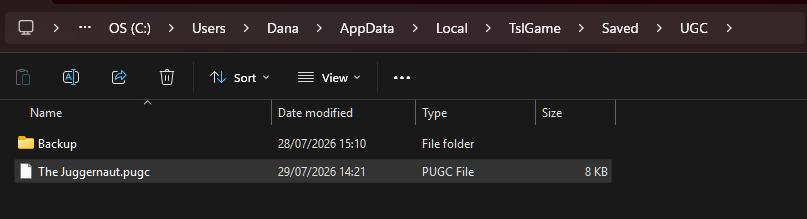
- Launch the game
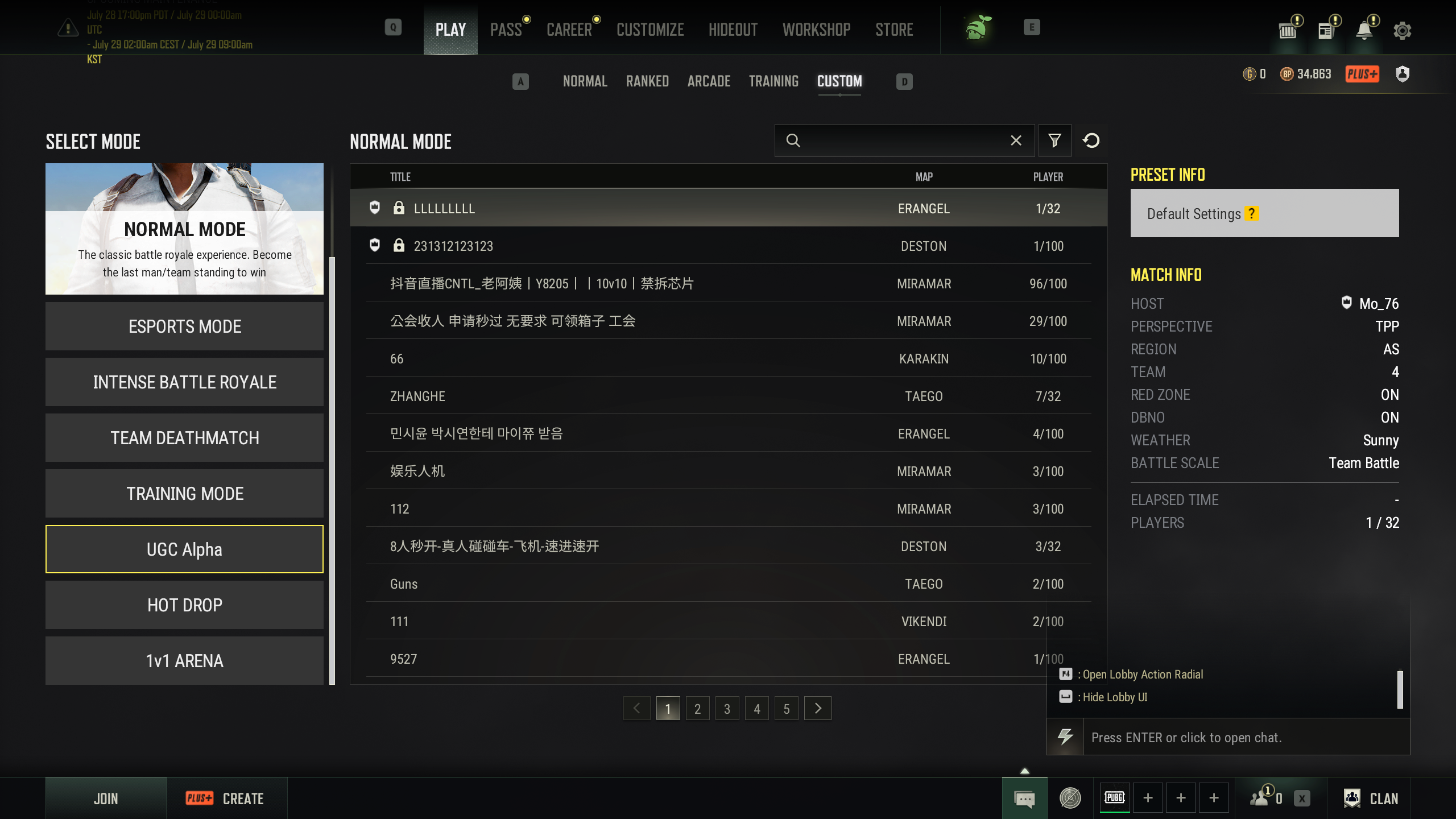
- Select Play, then Custom:

- From the list of modes, select UGC Alpha
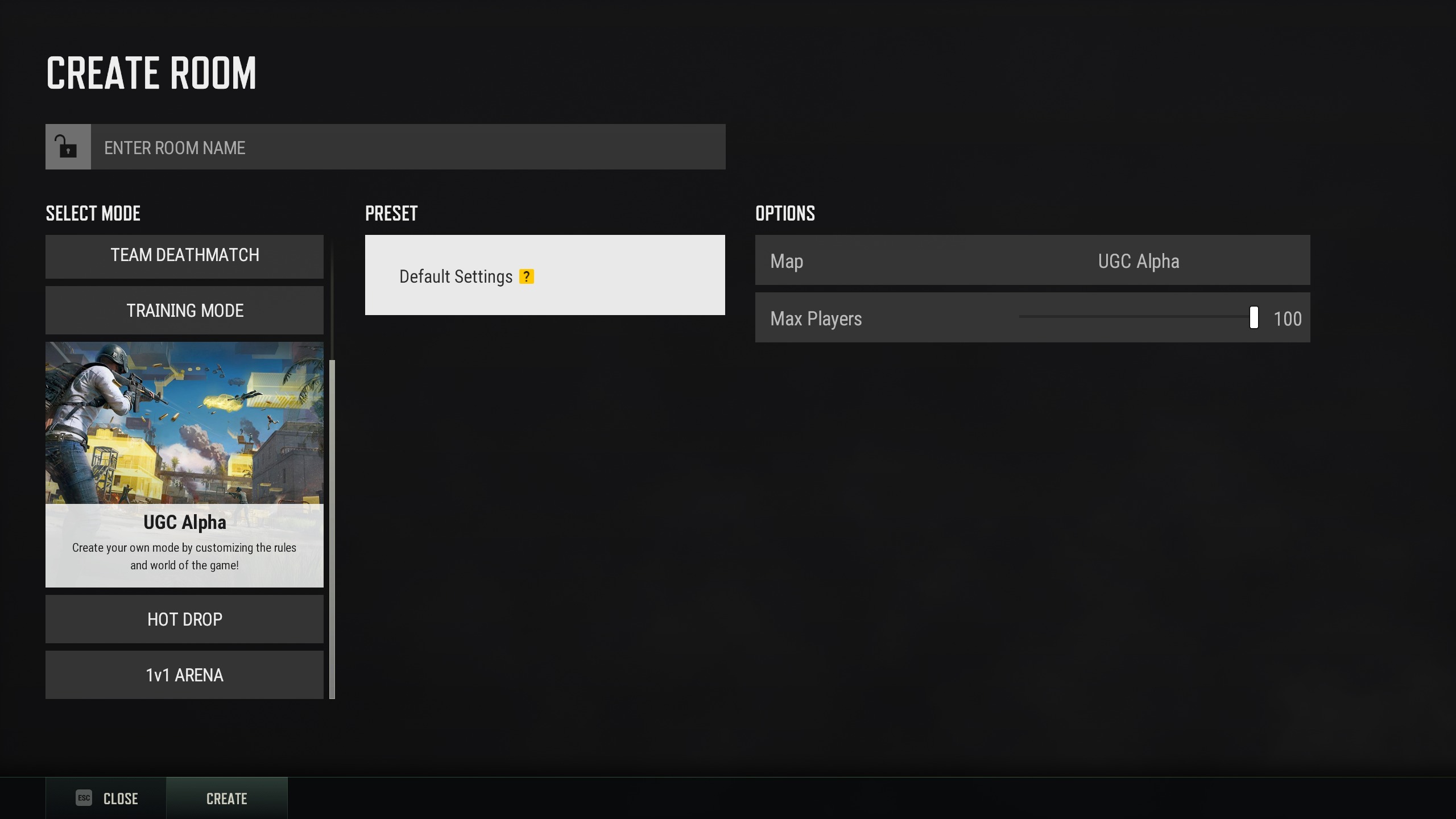
- Click Create:
- Enter a name for the room/match and click Create:
- Click Start:
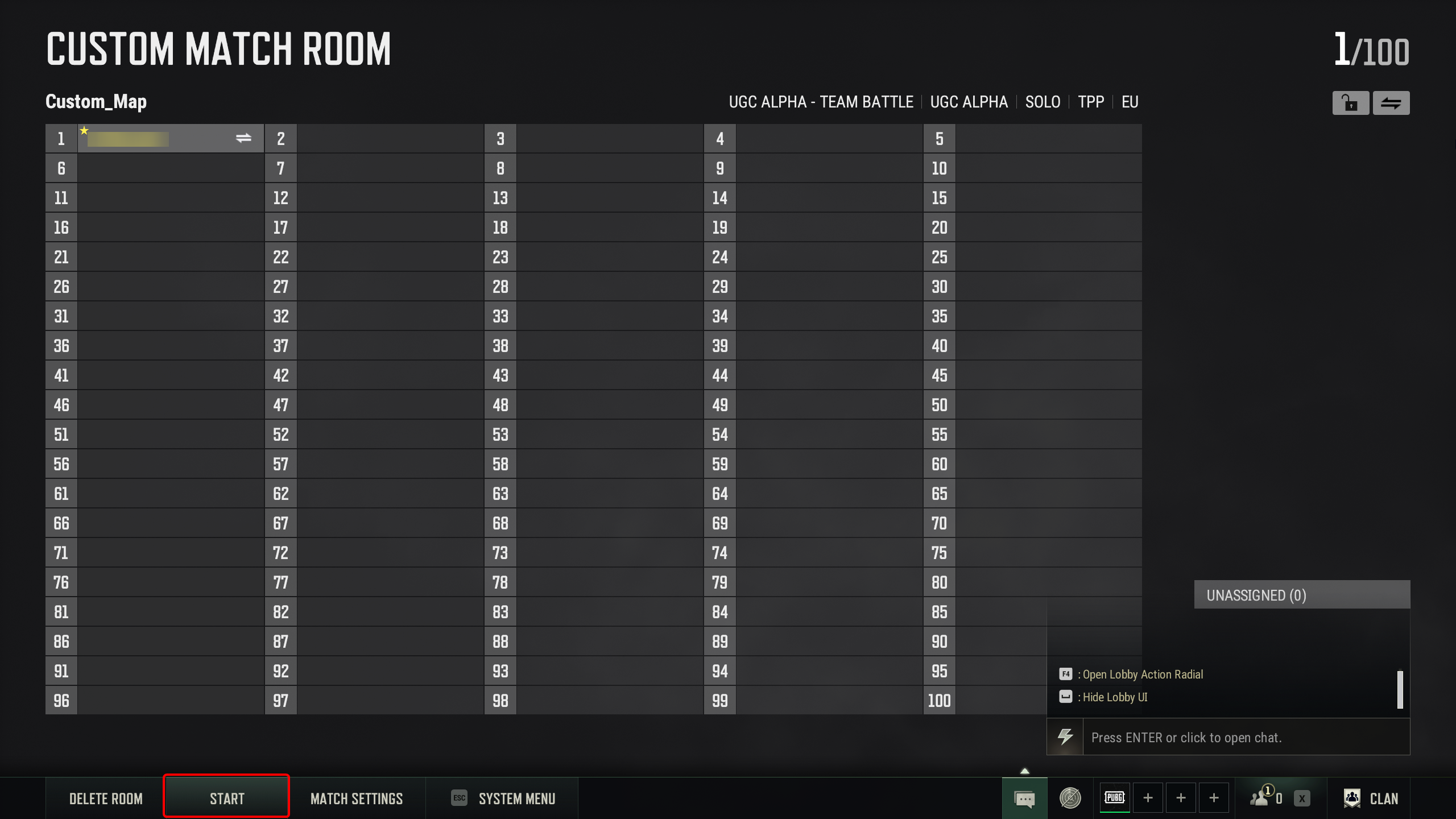
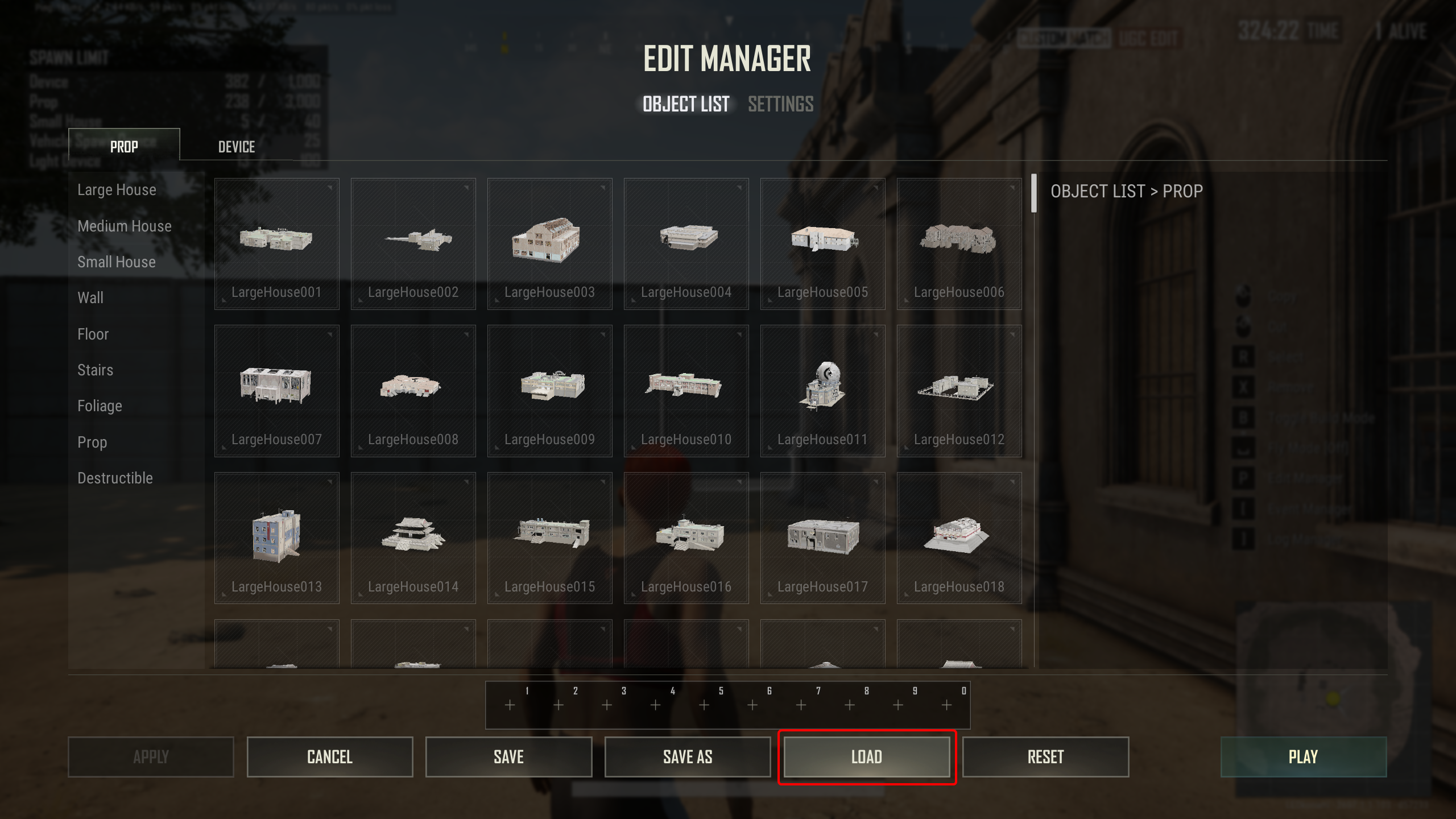
- The edit manager window will open right as the match starts, but if doesn't - press 'P' to open it manually
- Click Load:
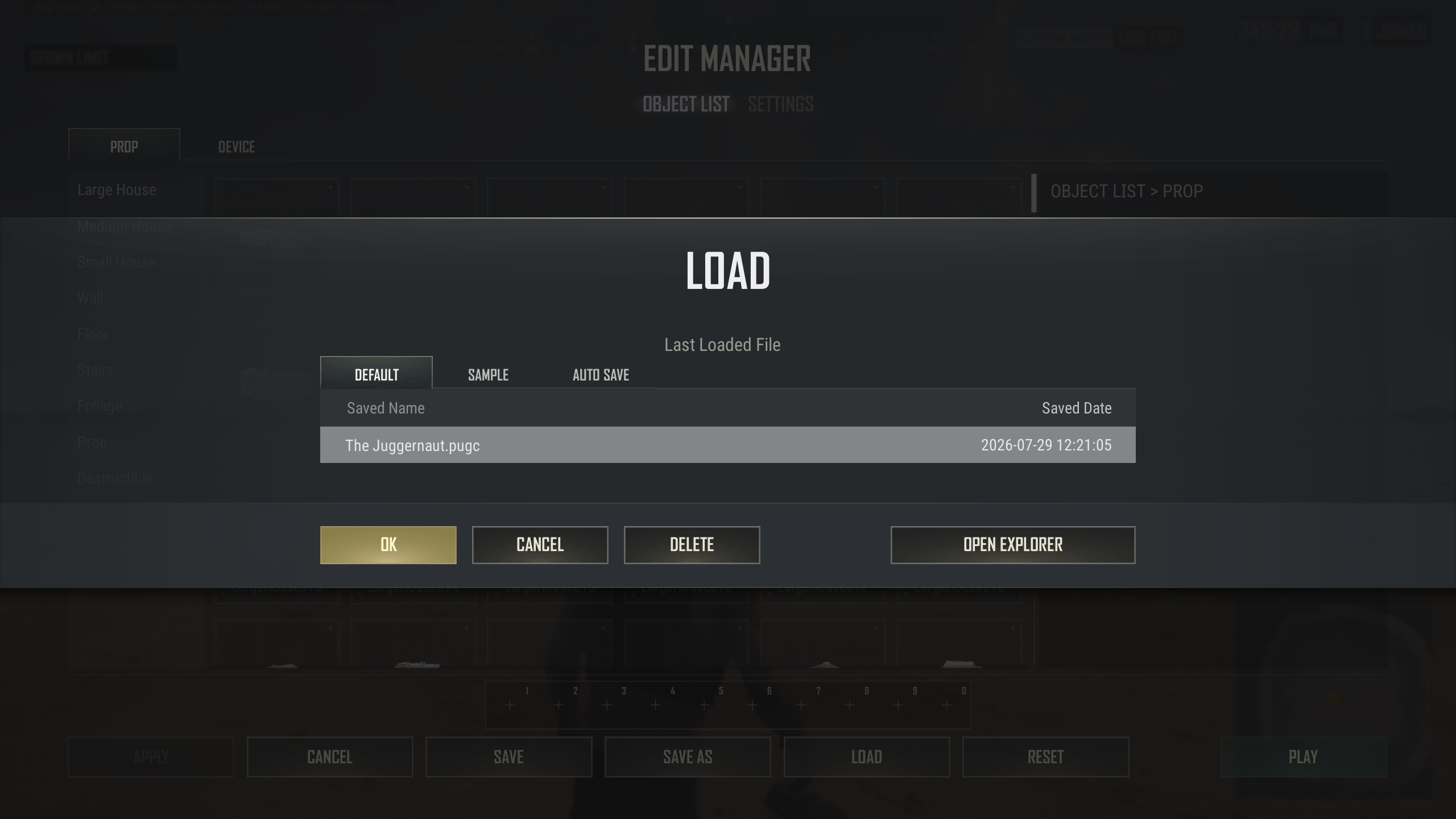
- In the first tab named Default, you should see the map's file (.pugc) - select it
- Click OK:
- Click Confirm
- Click Play:
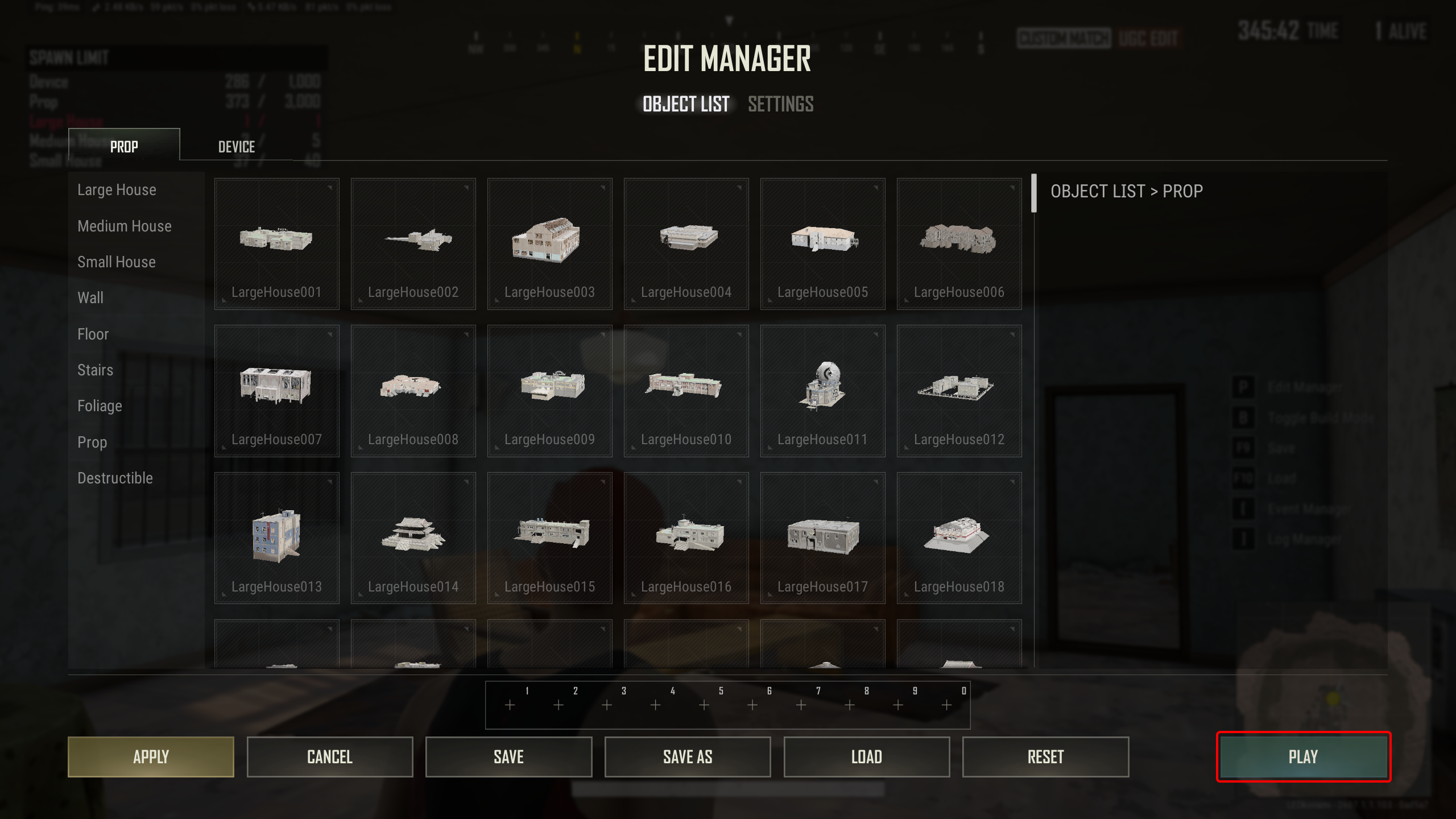
That's it! The map is ready to be played.